
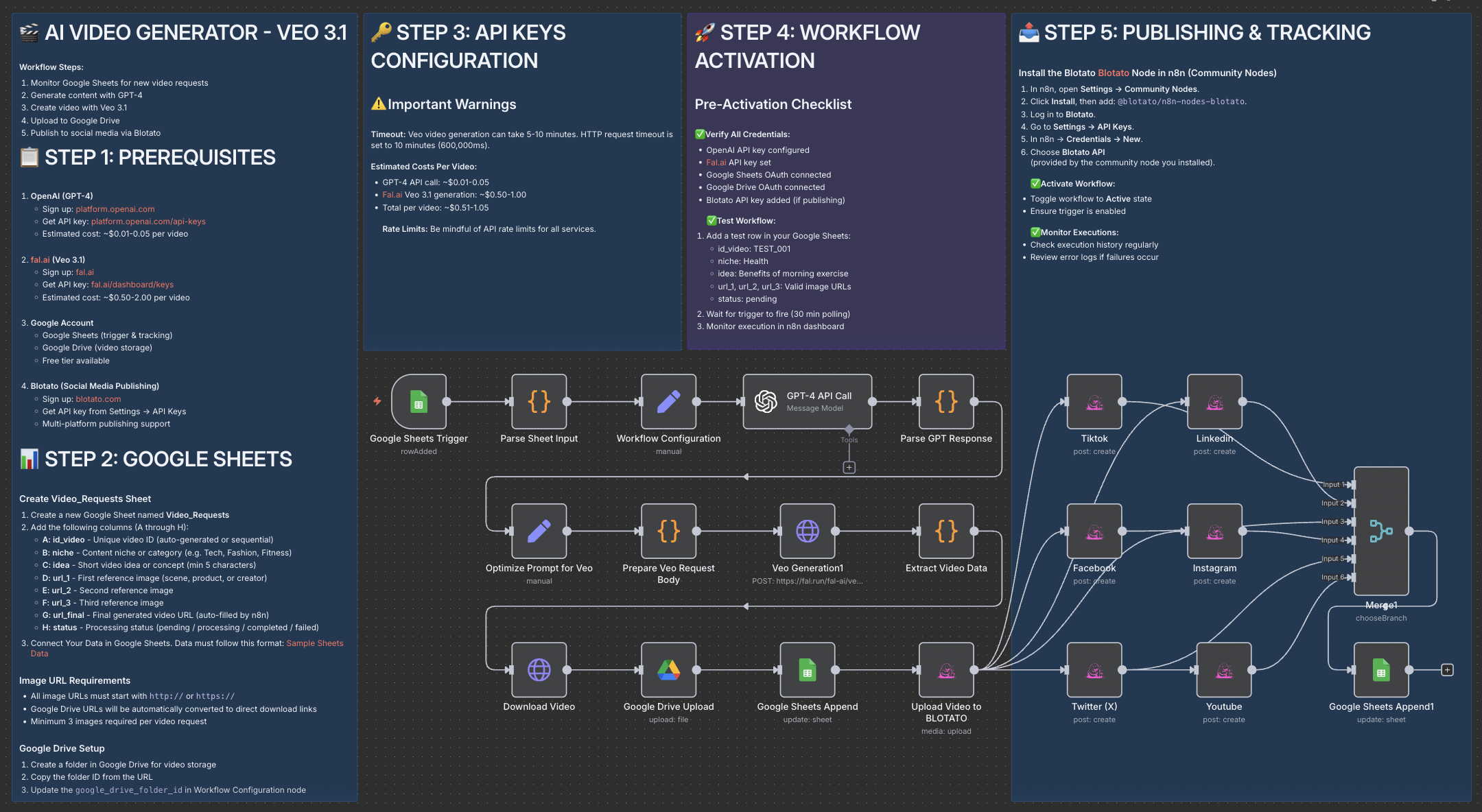
This workflow is designed for content creators, marketers, and automation enthusiasts who want to produce professional AI-generated videos and publish them automatically on social media — without editing or manual uploads. Perfect for those using Veo 3.1 , GPT-4 , and Blotato to scale video creation.
Creating short-form content (TikTok, Instagram Reels, YouTube Shorts) is time-consuming — from writing scripts to video editing and posting.
This workflow eliminates the manual steps by combining AI storytelling + video generation + automated publishing , letting you focus on creativity while your system handles production and distribution.
fal.ai/veo3.1/reference-to-video) with 3 input reference imagesRequired accounts:
Configuration steps:
Copy the Google Sheets structure :
id_videonicheideaurl_1url_2url_3url_finalstatusAdd your API keys to the Workflow Configuration node.
Insert three image URLs and a short idea into your sheet.
Wait for the automation to process and generate your video.
duration, aspect_ratio)Within 2–3 minutes , your idea is transformed into a full cinematic AI video — complete with storytelling, visuals, and automatic posting to your social media channels.
Save hours of editing and focus on strategy, creativity, and growth.
📩 Contact: LinkedIn
📺 YouTube: @DRFIRASS
🚀 Workshops: Mes Ateliers n8n
📄 Documentation : Notion Guide
Contact me for consulting and support : Linkedin / Youtube / 🚀 Mes Ateliers n8n
