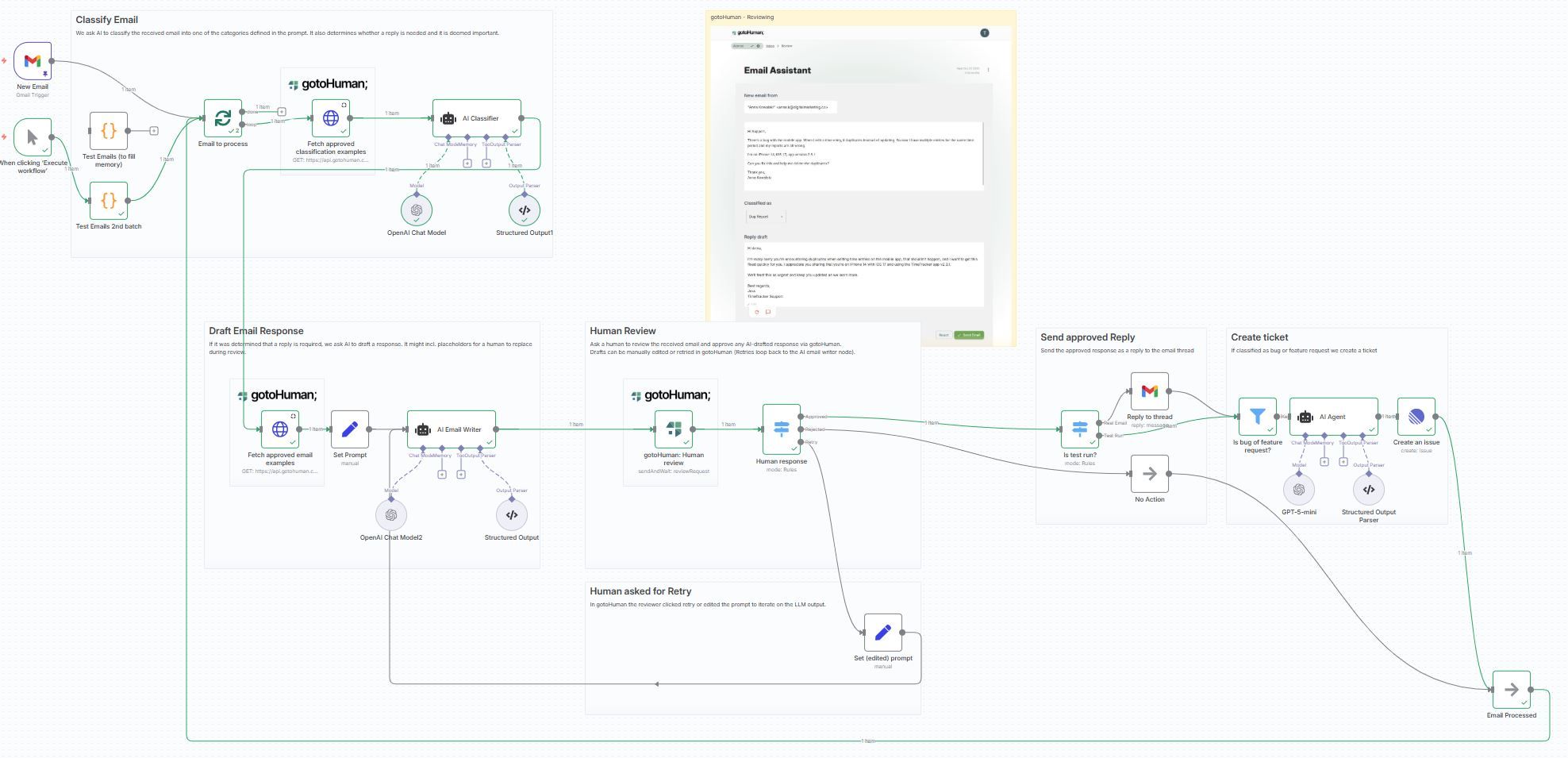
This workflow automatically classifies every new email from your linked mailbox, drafts a personalized reply, and creates Linear tickets for bugs or feature requests. It uses a human-in-the-loop with gotoHuman and continuously improves itself by learning from approved examples.
How it works
- The workflow triggers on every new email from your linked mailbox.
- Self-learning Email Classifier: an AI model categorizes the email into defined categories (e.g., Bug Report, Feature Request, Sales Opportunity, etc.). It fetches previously approved classification examples from gotoHuman to refine decisions.
- Self-learning Email Writer: the AI drafts a reply to the email. It learns over time by using previously approved replies from gotoHuman, with per-classification context to tailor tone and style (e.g., different style for sales vs. bug reports).
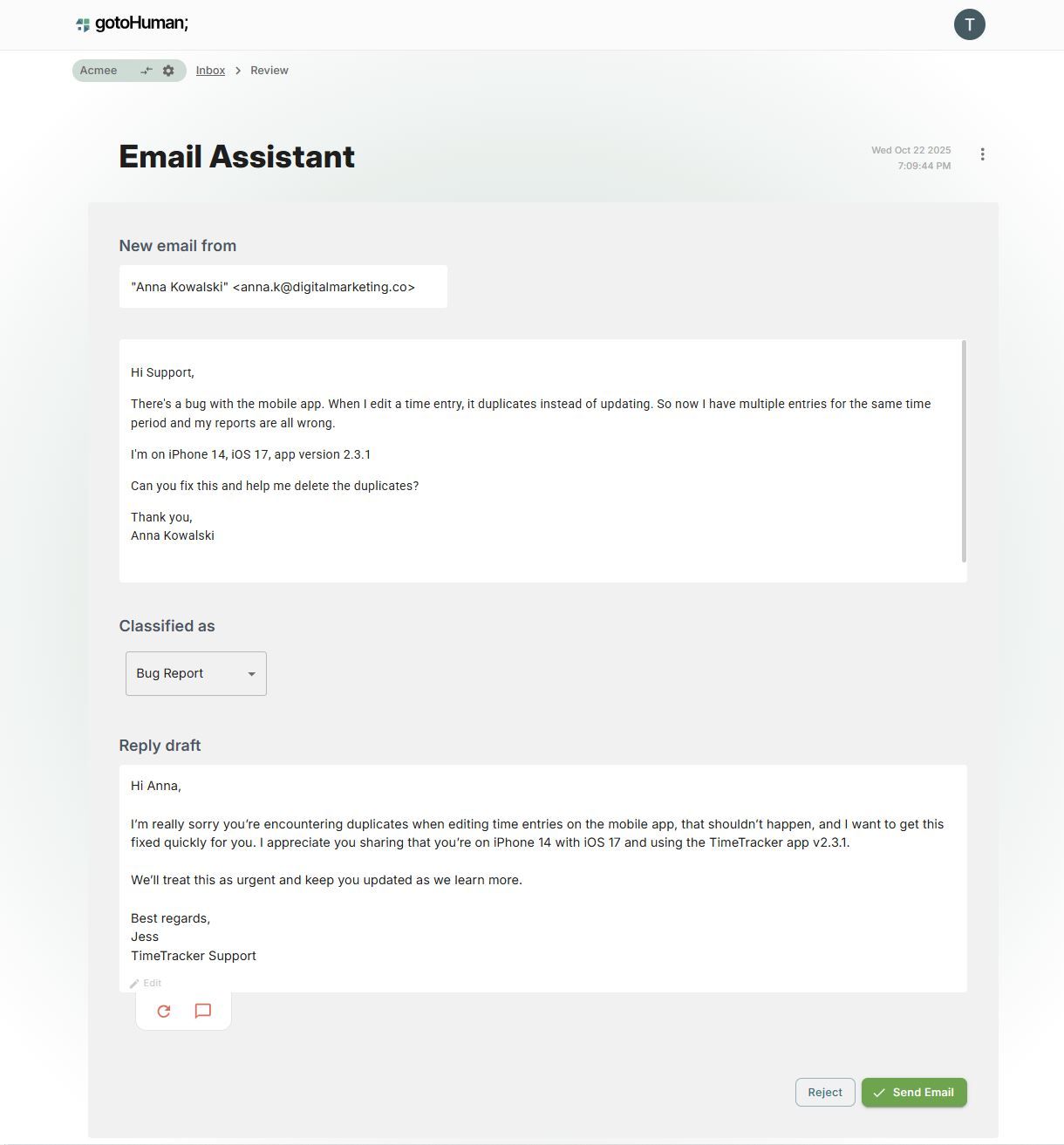
- Human Review in gotoHuman: review the classification and the drafted reply. Drafts can be edited or retried. Approved values are used to train the self-learning agents.
- Send approved Reply: the approved response is sent as a reply to the email thread.
- Create ticket: if the classification is Bug or Feature Request, a ticket is created by another AI agent in Linear.
Human Review in gotoHuman:
How to set up
- Most importantly, install the gotoHuman node before importing this template! (Just add the node to a blank canvas before importing)
- Set up credentials for gotoHuman, OpenAI, your email provider (e.g. Gmail), and Linear.
- In gotoHuman, select and create the pre-built review template "Support email agent" or import the ID:
6fzuCJlFYJtlu9mGYcVT.
- Select this template in the gotoHuman node.
- In the "gotoHuman: Fetch approved examples" http nodes you need to add your
formId. It is the ID of the review template that you just created/imported in gotoHuman.
Requirements
- gotoHuman (human supervision, memory for self-learning)
- OpenAI (classification, drafting)
- Gmail or your preferred email provider (for email trigger+replies)
- Linear (ticketing)
How to customize
- Expand or refine the categories used by the classifier. Update the prompt to reflect your own taxonomy.
- Filter fetched training data from gotoHuman by reviewer so the writer adapts to their personalized tone and preferences.
- Add more context to the AI email writer (calendar events, FAQs, product docs) to improve reply quality.

